How to Design Modular Electrical Systems with BlindoCad | Graziadio

In industrial and commercial electrical systems, modularity is no longer a “nice to have,” but a fundamental requirement to meet the growing demands for flexibility, rapid installation, simplified maintenance, and scalability. For those who design, install, or manage electrical systems, and even for those approaching the field for the first time, it becomes crucial to rely on solutions that are pre-engineered , efficient , and intelligent during the design phase.

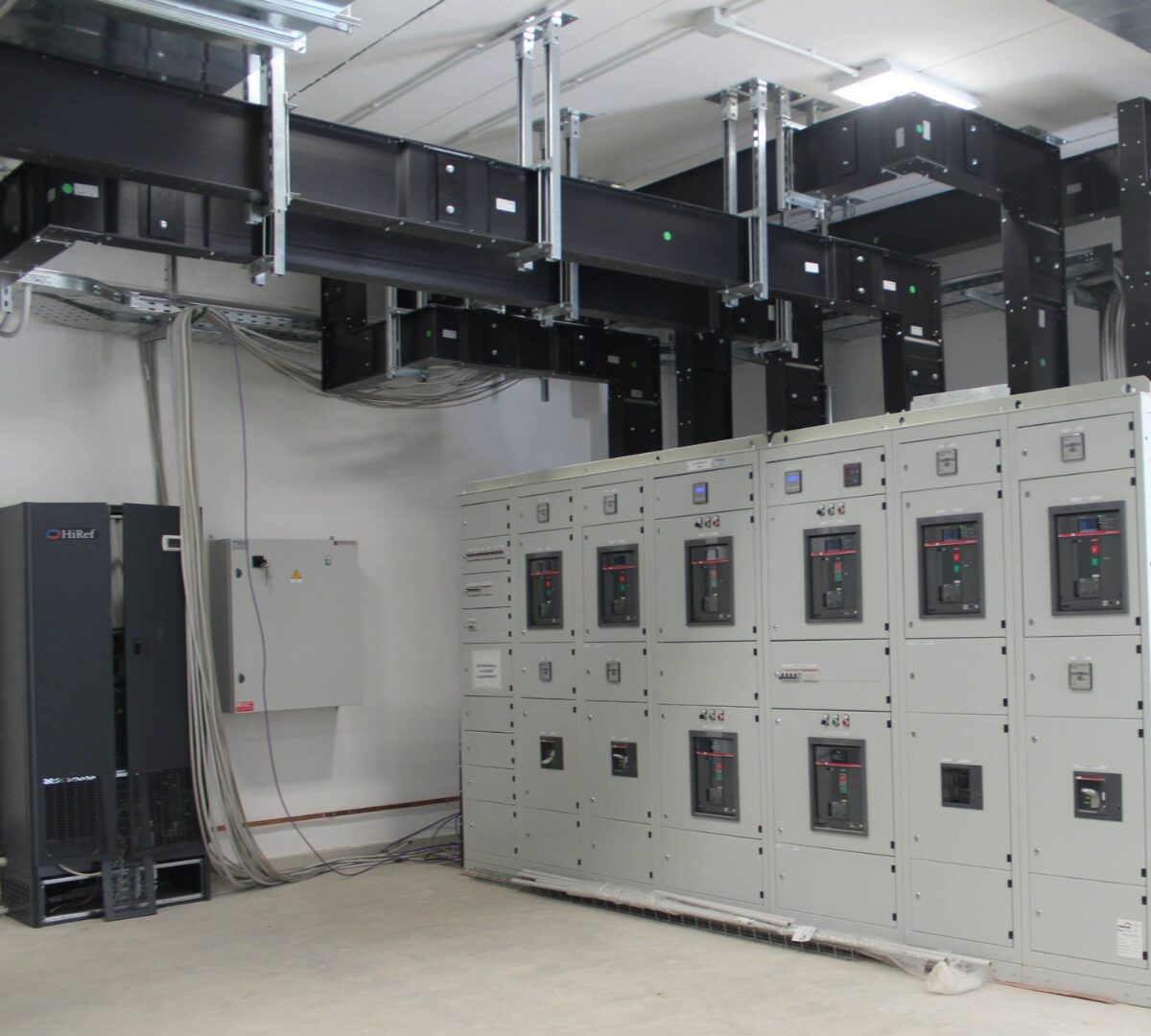
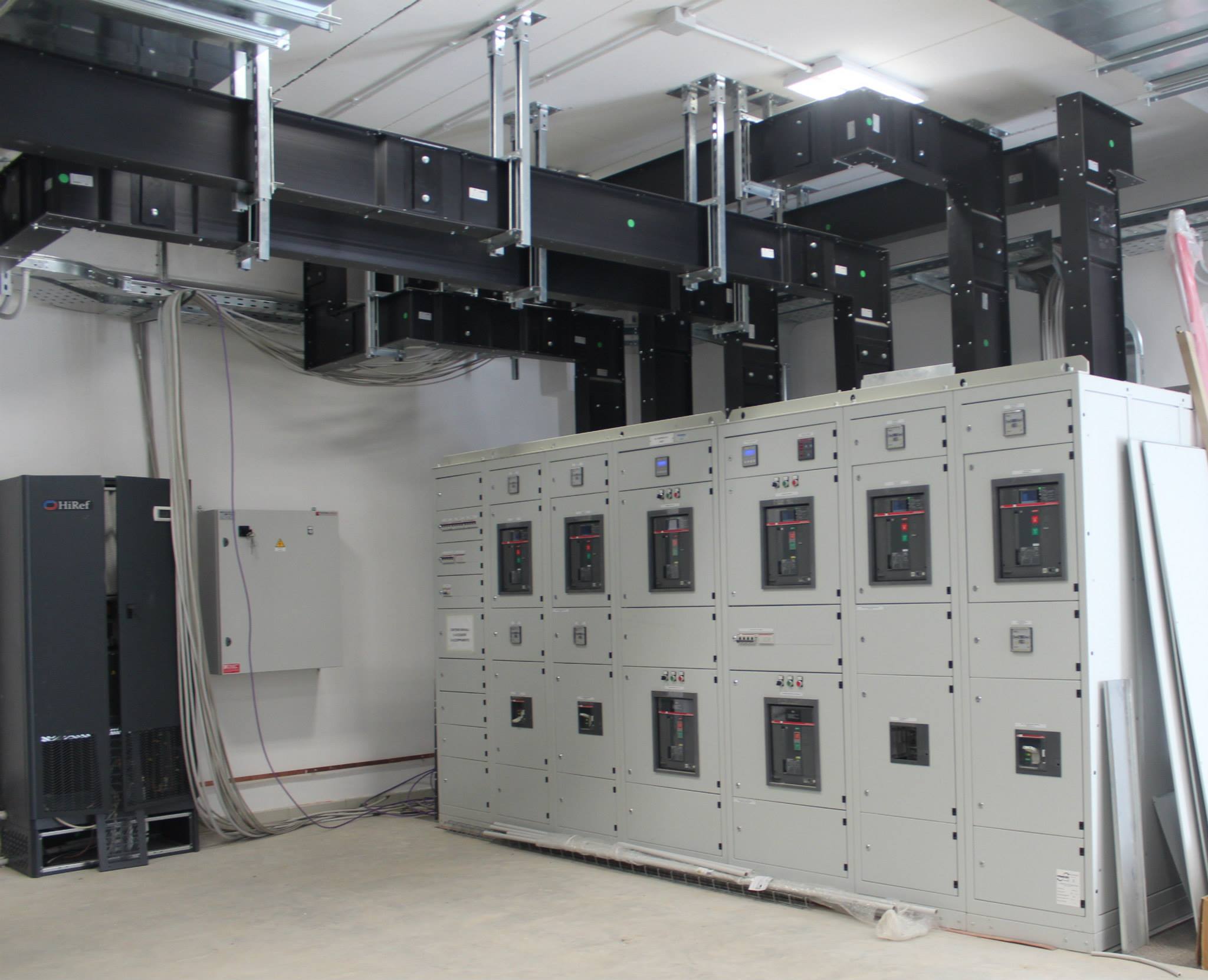
The range of busbar trunking systems produced by Graziadio & C. , from 25 to 6,300 A, represents a consolidated “Made in Italy” reality for the transmission and distribution of electrical energy.
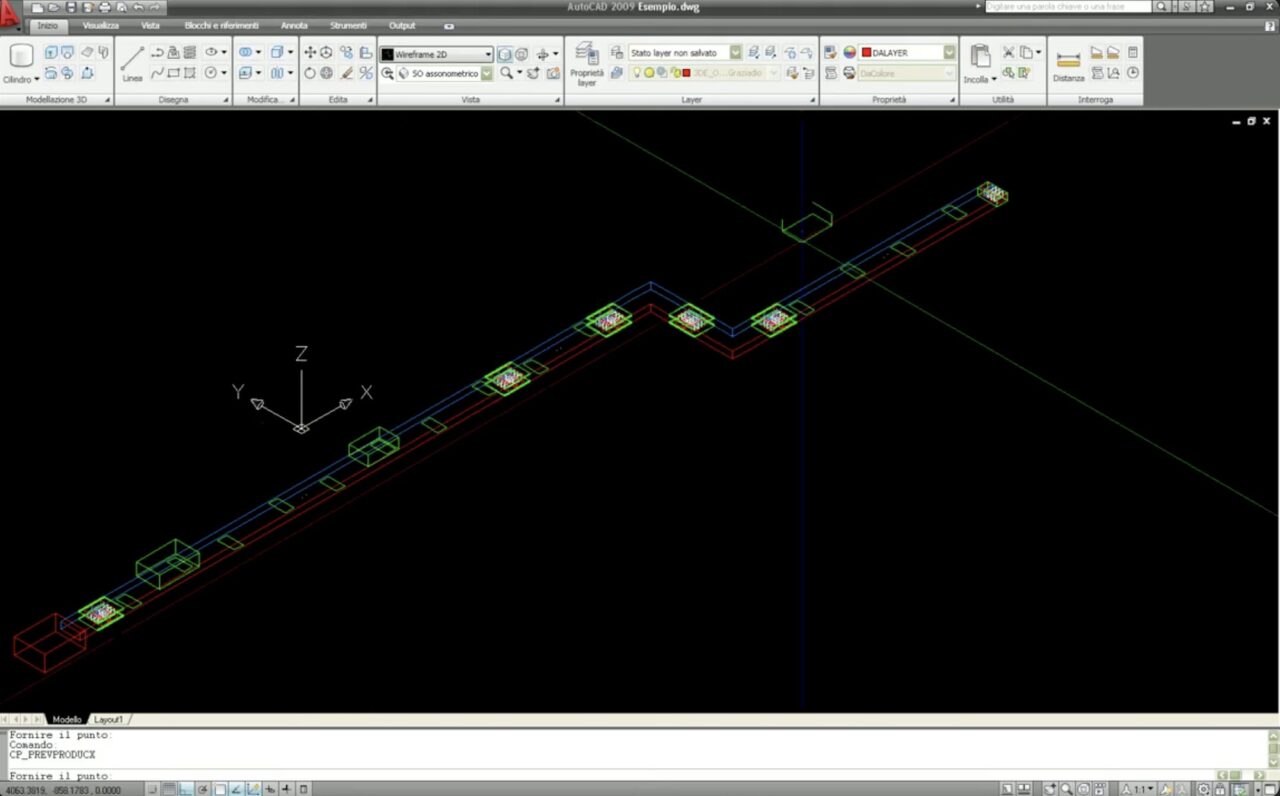
To support designers and technicians in their layout and design activities, Graziadio has developed BlindoCad , a modern software integrated into AutoCAD (and compatible with other CAD programs) that allows for 2D and 3D modelling of busbar trunking systems, composing straights, bends, end caps, junction boxes, and accessories, and automatically generating the bill of materials (BoM).

This article aims to guide even those who are not very familiar with busbar systems or specialized CAD software: you will discover why designing modular systems is advantageous, how to approach the design with BlindoCad , and what are the concrete benefits that derive from it for designers, installers and end customers.

Why modularity in electrical systems?

A modular electrical system is based on the logic of standardized, prefabricated, or semi-prefabricated components, which allow for rapid assembly, easy future modifications, and efficient maintenance. Why does all this matter?

Main benefits

  • Reduced design and installation time and costs: the use of blocks, libraries, and modules allows you to bypass most “from scratch” customizations.
  • Increased system flexibility: the ability to adapt to changes or expansions without redoing the entire route.
  • Easier maintenance: easier access, foreseen branches, possibility of modifications without invasive interventions.
  • Greater reliability and quality: a designed and prefabricated system reduces errors on site, downtime and compatibility risks.

In the case of Graziadio busbar trunking, these features are emphasized: in fact, the documentation highlights how the systems are designed for quick assembly, “plug & play” installation, high degree of protection up to IP 68 (for some ranges) and the possibility of revision and reuse even after decades. 

Typical design challenges (complex spaces, high power management, coordination between power supply/distribution, safety regulations) find a concrete answer in modular solutions.

The role of BlindoCad in modular design

BlindoCad is a strategic tool in the design workflow: it allows you to transform ideas and diagrams into executive technical layouts, connecting directly to the Graziadio busbar trunking system.

Software Overview

  • It is fully integrated into AutoCAD and compatible with many versions of AutoCAD and other CAD/cloud partners.
  • It allows 2D and 3D design of the entire system: duct layout, module definition, insertion of curves, connections, and headers.
  • Includes updated libraries of Graziadio products: from the GLS series, J Series, GDA/GDR, K Series, ISOLSBARRA, etc.
  • Automatic generation of the Bill of Materials (BoM): each element is recognized, the lengths are calculated, the accessories are matched.
  • Continuous updates and adaptation to new design needs.

These elements make BlindoCad not just a drawing software, but an integrated design engine that enhances modularity, reduces errors and simplifies the transition from design to installation.

Step-by-step: designing a modular system with BlindoCad

Below is a general flow (customizable for each project) that guides from definition to execution, using BlindoCad and integrating the modularity of the busbar trunking.
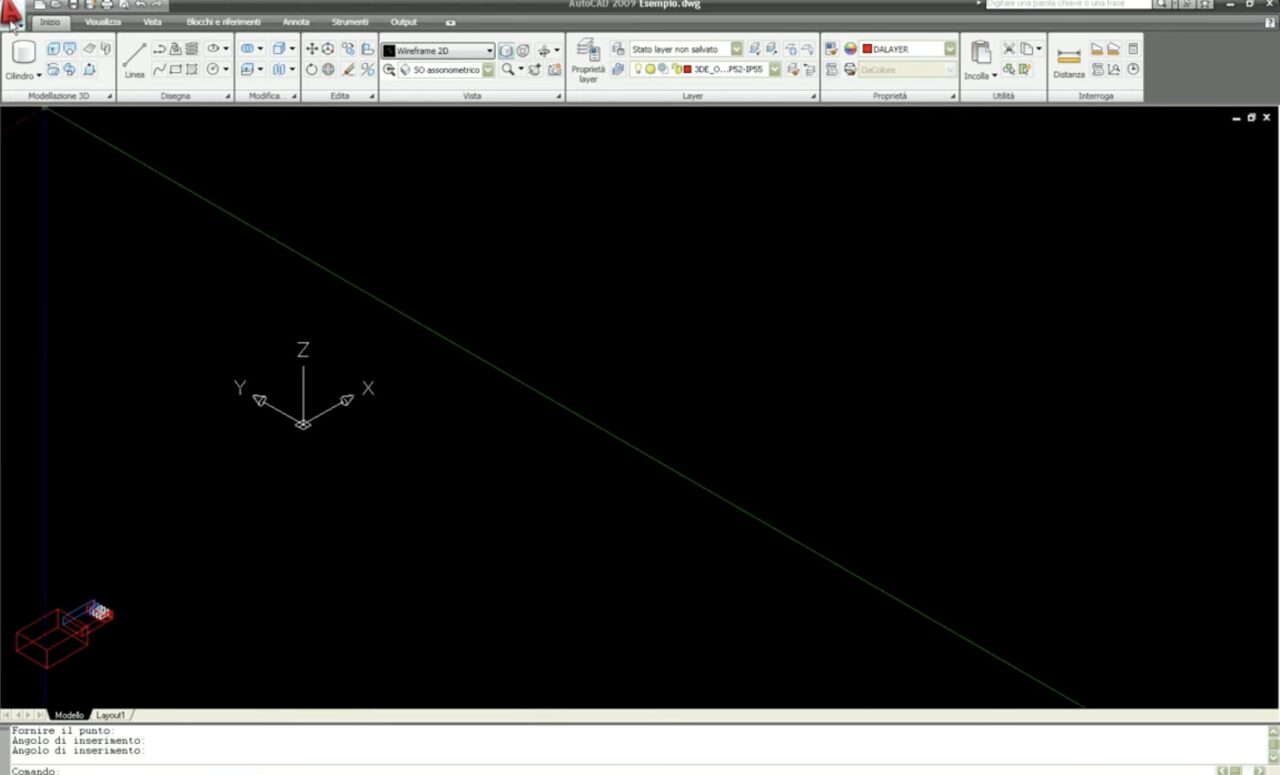
Phase 1 BlindoCad: Definition of specifications

  • Identify the required current rating (e.g. 630 A, 2000 A, 5000 A) and select the correct range (e.g. GDA for 63-2500 A) from Graziadio solutions.
  • Check the installation environment and conditions: internal/external, required degree of protection (e.g. IP66, IP68).
  • Define general layout: route, power points, branches, space maintenance, support brackets.

Phase 2: Creating the basic 2D layout

  • Open BlindoCad within CAD, select the busbar trunking range from the library menu.
  • Drawing straight elements: defining standard lengths and connection points.
  • Insert fittings and corners: BlindoCad libraries allow you to choose curves, corners < 90°, T-junctions, double horizontal/vertical heads.
  • Define junction boxes, brackets, expansion elements, end caps: all available in the library.

Step 3: Transpose to 3D and verify

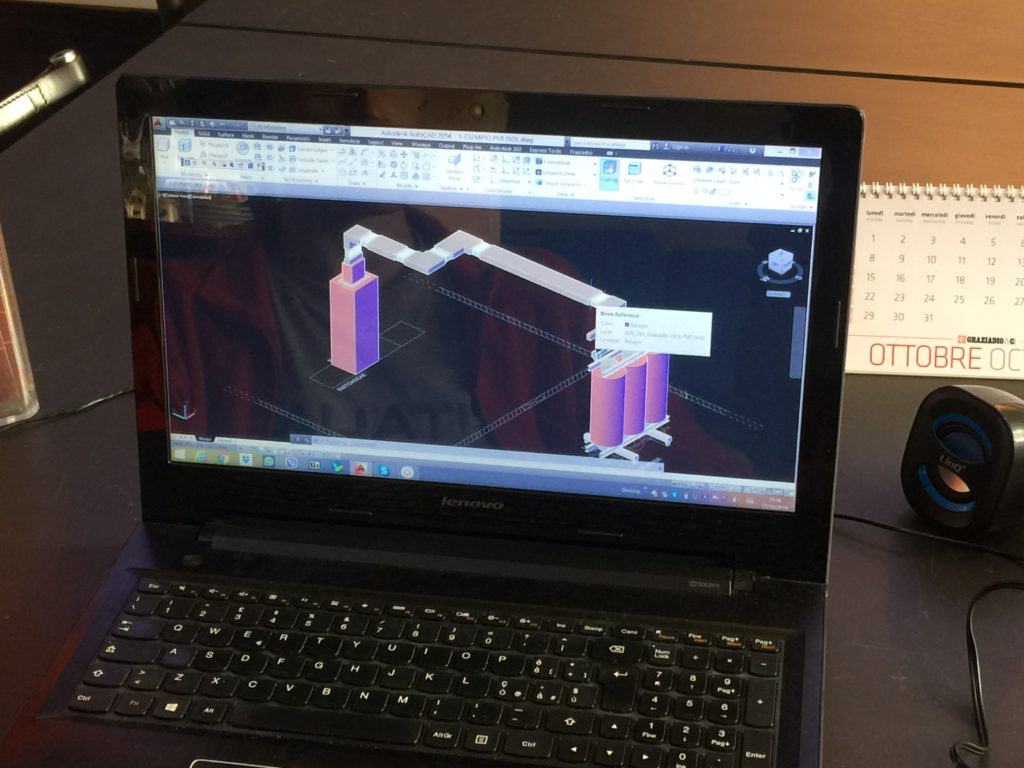
  • Switch to the 3D model to check for interference, vertical or horizontal paths, brackets, and any space restrictions.
  • Using 3D allows you to anticipate assembly errors, reduce rework in the field and ensure that modules are compatible.
  • Check any details such as brackets for vertical lines, renewed spans.

Phase 4: Using the Product Library and Selecting the System

  • Select the appropriate busbar trunking system (e.g. ISOLSBARRA for 630-6300 A transport).
  • Customize editable parameters: length, materials (copper or aluminium), head type (“P”, “TT”), brackets, connections.
  • Check the electrical, mechanical and spatial compatibility of the chosen system.

Step 5: Generate the BoM and executive documentation

  • With one click, BlindoCad generates the bill of materials: each module, accessory, and length is reported.
  • Prepare working drawings, 3D exploded views, sections and assembly details to be delivered to the installer.
  • Provide a modular assembly plan: prefabricated elements ready for installation, brackets and fixings already defined.
  • See the BlindoCad Installation and Uninstallation Guide (PDF) for technical details on installing the software.

Final phase: Field integration and implementation

  • The use of a modular design (prefabricated busbar trunking) significantly reduces construction times, errors and delays.
  • Assembly is more straightforward: pre-defined modules, compatible elements, brackets and fittings included in the project.
  • Anticipate future modifications/expansion: thanks to its modularity, the system is scalable and reconfigurable.

Benefits and practical use cases

For designers, installers and end customers, adopting a modular approach supported by BlindoCad and Graziadio busbar systems brings concrete advantages:

  • Reduced design and installation times : less time spent defining every single detail thanks to pre-engineered libraries and a simplified design flow.
  • Reduce errors and rework on the jobsite : The 3D model and automated bill of materials help predict problems before installation.
  • Greater scalability and flexibility : the system can be expanded or modified in the future with lower costs and time.
  • High quality and “Made in Italy” certification : Graziadio systems have been produced for decades, with high reliability.
  • Operational and maintenance efficiency : the modular structure facilitates interventions and reduces plant downtime.

Best practices and technical tips

To make the most of BlindoCad and the modularity of the busbar trunking, here are some useful tips:

  • Always keep the product library in the software up to date: new parameters and new ranges are continuously implemented.
  • Always check CAD compatibility: BlindoCad supports AutoCAD (from 2004 to 2024) and many other CADs.
  • Plan for branching points from the start: Modularity is maximized when modules enable future applications.
  • Take care of the executive documentation : 3D drawings, sections, bill of materials, exploded views are essential for error-free installation.
  • Consider regulatory and safety requirements: for example, protection rating (IP66, IP68), materials, brackets, vertical/horizontal positioning.
  • Don’t neglect the assistance and assembly phase: thanks to the modular design, you get faster on-site and easier future interventions.
Conclusion

Designing a modular electrical system using dedicated software like BlindoCad and integrating Graziadio busbar trunking systems offers a significant competitive advantage today. For those new to the subject, it represents a guided entry into the world of modularity; for the experienced designer, it is a tool that simplifies and speeds up the work.

We invite you to book a call with Graziadio’s technical team today for direct support. Take advantage of the combination of intelligent design and prefabricated Made in Italy products to build modular, efficient, scalable electrical systems that are ready for future needs.
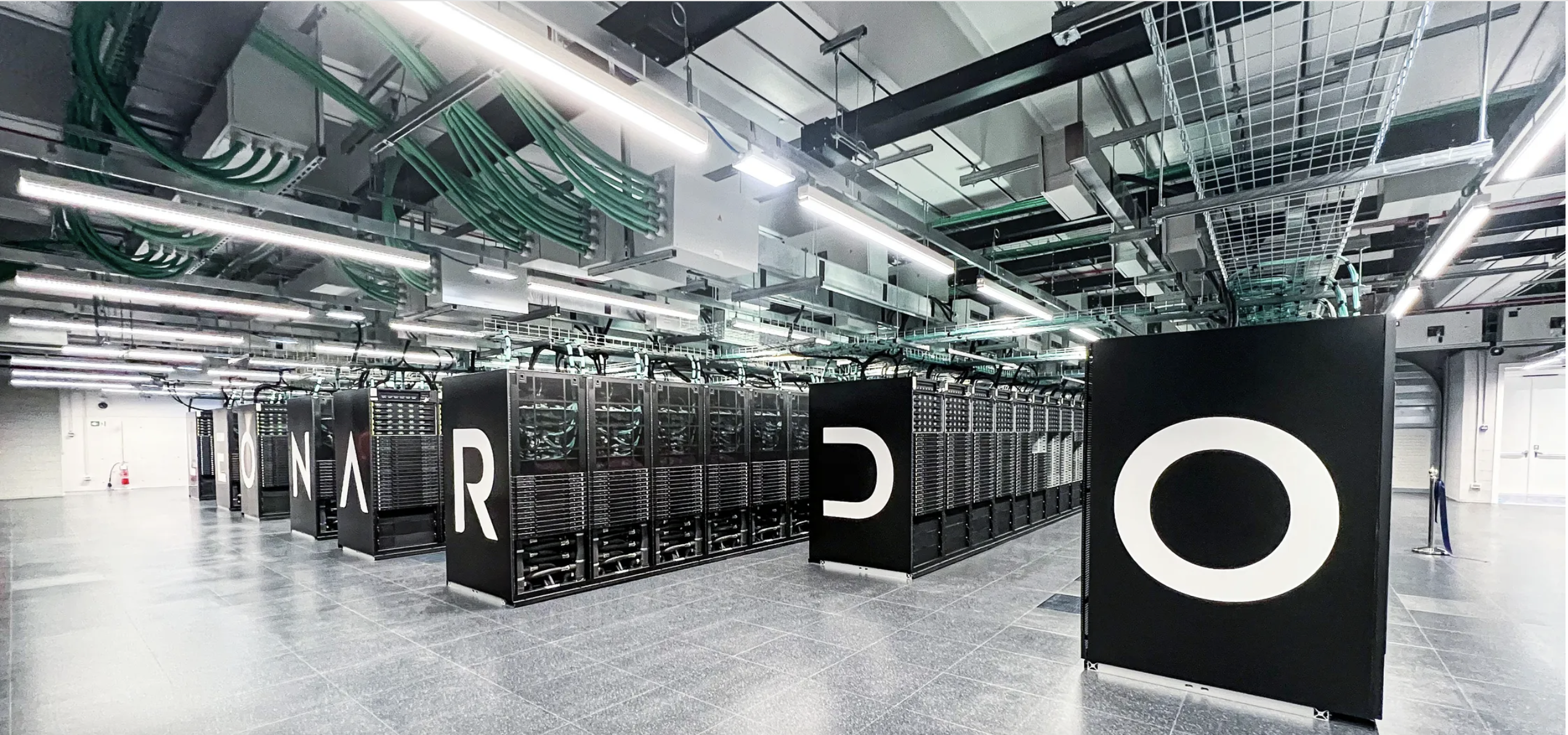
The energy behind the Leonardo Data Centre: Discover GDA Busbar Trunking

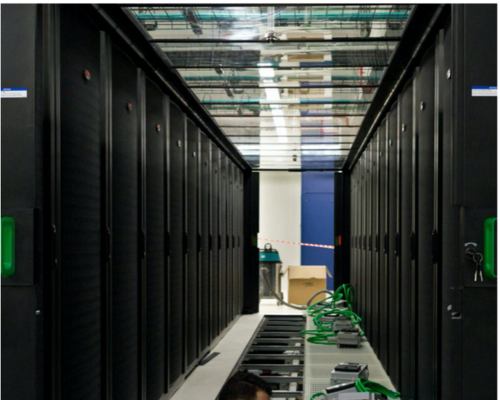
When powering one of the world’s most advanced supercomputers, reliability and performance are non-negotiable. That’s why the Leonardo Data Centre, hosted in the Bologna Technology Park and managed by Cineca, chose Graziadio’s GDA Busbar Trunking System.

What is GDA?

GDA is a busbar trunking system designed for electrical current distribution, ranging from 63 to 2500 A. It’s engineered to outperform traditional cabling solutions, especially in environments that demand scalability, flexibility, and robust protection.

Why GDA Was Chosen for Leonardo

Flexible Assembly

GDA can be installed horizontally or vertically, making it ideal for complex infrastructure layouts. Its monoblock joints allow for quick assembly, saving time and reducing installation costs.

High Protection Rating

With a protection level of up to IP55, GDA is suitable for humid environments and offers resistance against dust and solid particles, ensuring long-term reliability even in challenging conditions.

Easy Expansion

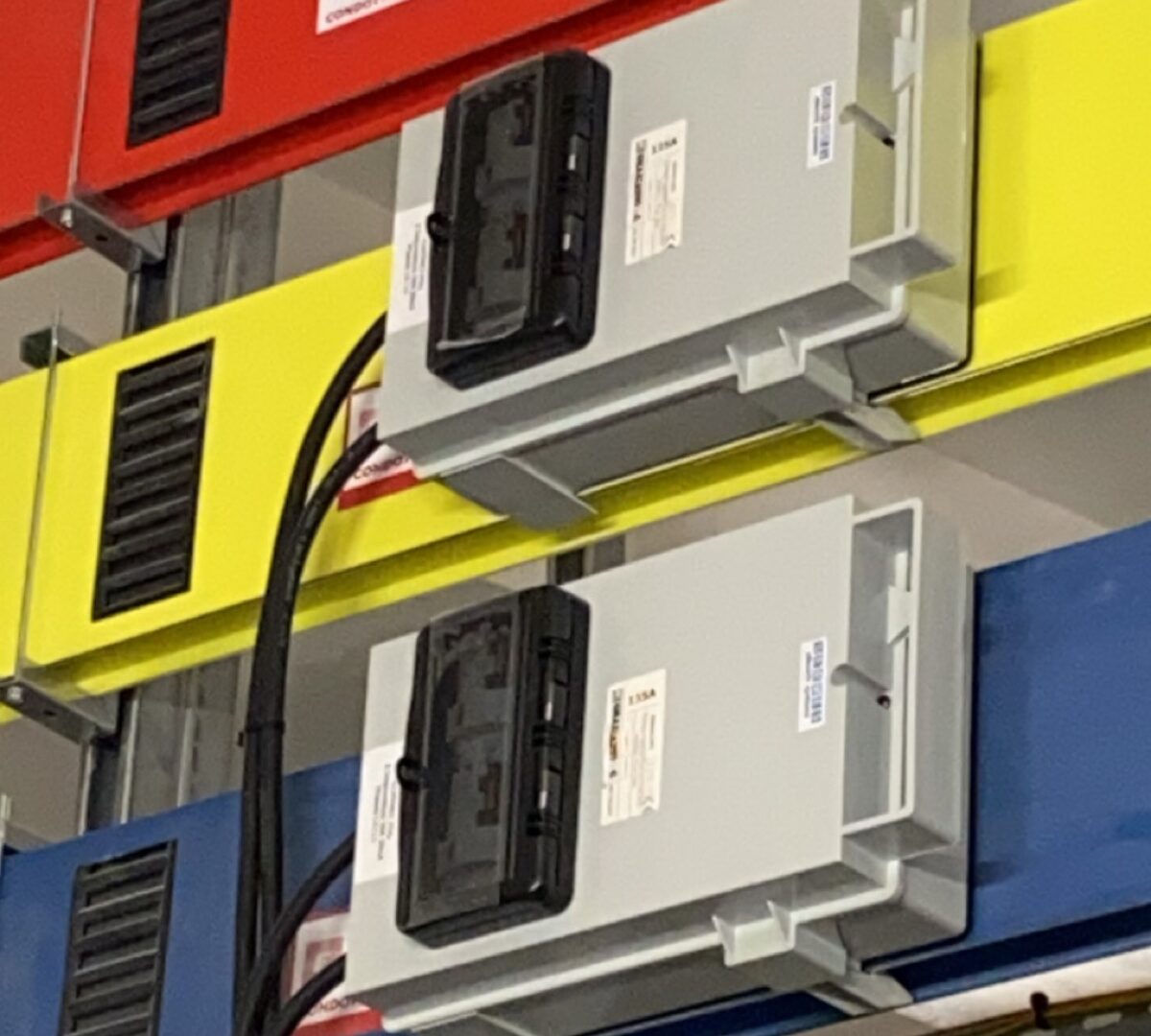
Need to scale up? GDA makes it simple. Tap-off boxes (ranging from 32 to 1250 A) can be added to either side of the trunking system. They’re lightweight yet durable, enabling low-cost expansion without disrupting existing infrastructure.

Built to Resist

Thanks to its aluminium casing, GDA resists corrosion and short circuits. It also provides high heat dissipation, making it suitable for environments with limited air circulation.


If you want to find out more about how we were involved in this fantastic project, read the full case study here

Busbars and sustainability: efficient solutions for the future

Sustainability in the industrial world is no longer just an ethical principle, but a competitive lever . Today, companies are faced with designing electrical systems that ensure production continuity, reduced consumption, and adaptability over time. In this scenario, the busbar trunking system (bus duct) is not simply a technical solution for energy distribution: It is a strategic asset that contributes to the construction of more responsible, long-lasting infrastructures that are ready for the evolution of production processes.

Sustainability, in fact, is not expressed only through immediate energy savings, but through a system’s ability to maintain constant performance over the long term , with fewer interventions, less material waste and greater operational efficiency.

A conscious design choice

Busbar trunking as an industrial infrastructure

Busbar trunking is a prefabricated system that uses conductive busbars protected by a metal casing.

It was created to guarantee:

    • stable power distribution,
    • low levels of dispersion,
    • neat and modular installations.

But beyond the technical advantages, what sets it apart is its consistency with a vision of a system that must last over time.

Life cycle as a design parameter

From an industrial sustainability perspective, it’s not just the initial cost that matters.
What matters is the plant’s useful life and its ability to:

    • maintain consistent performance,
    • adapt to new loads,
    • reduce production downtime,
    • be inspected, expanded and updated without demolition or waste.

Busbar trunking was created precisely for this type of logic.

Sustainability as business continuity

Reliability that reduces waste and risks

Any interruption in the electrical distribution generates:

    • indirect costs,
    • production waste,
    • loss of efficiency.

The robustness of busbar trunking drastically reduces the probability of unplanned failures, making a concrete contribution to the economic and environmental sustainability of the production site.

Energy efficiency as a cumulative value

The controlled geometry of the conductors and the reduction of electrical resistance along the path contribute to:

    • reduce Joule losses,
    • maintain more stable operating temperatures,
    • improve overall system performance.

This is not a one-time saving, but a benefit that accumulates every day , throughout the life of the system.

Modularity and adaptability: designing for the future

Growth and reconfiguration without waste

Industrial production is evolving: lines are expanding, loads are changing, areas are being repurposed.
A sustainable plant is one that can grow without demolishing , replacing, or throwing away.

The barrier allows:

    • adding derivations without reworking,
    • routes that can be modified over time,
    • integration with new panels and utilities.

It is a system created to accompany the company’s development , not to constrain it.

Reduction of maintenance interventions

The ability to easily inspect and verify joints enables predictive, rather than corrective, maintenance.
Fewer emergencies = less waste = greater sustainability.

Where sustainability becomes a strategic necessity

Critical Infrastructure

Data centres , hospitals, transportation, and large-scale logistics: contexts where electrical continuity is a mission , not an option.
Here, busbar trunking ensures long-term resilience and stability.

Advanced industrial plants

In sectors where energy represents a strategic cost item, such as:

    • automotive,
    • food,
    • manufacturing,
    • packaging, an efficient and modular system allows for greater operational control.

A forward-looking approach to sustainability

Designing today for future performance

Sustainability isn’t just about reducing immediate consumption.
It’s:

    • choose recyclable materials,
    • reduce substitutions,
    • limit invasive interventions,
    • ensure performance stability over time.

An investment that generates value

Sustainability becomes a competitive advantage when:

    • extends the useful life of the systems,
    • reduces downtime costs,
    • improves production efficiency.

Busbar fits perfectly into this logic.

Conclusion

Busbar trunking isn’t simply a technical choice. It’s a strategic
decision , consistent with an industry that aims to:

    • business continuity,
    • responsibility in the use of resources,
    • systems designed to last.

The solutions developed by Graziadio & C. are born with this vision: to guarantee modular, safe, and high-performance systems, designed to support today’s industrial plants and prepare them for tomorrow’s evolutions.

To help you determine the best solution for your facility’s needs, our technical team is available for a personalized consultation.

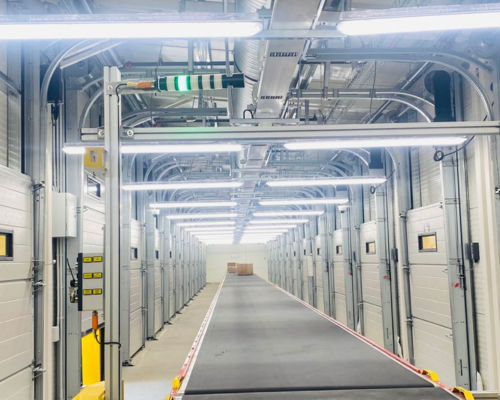
Busbar in Shopping Centres

In large commercial spaces, efficiency and flexibility are essential.

Our busbar systems guarantee:
– Secure deployment
– Modularity for future growth
– Easy installation and maintenance.

Busbar Trunking and Energy Efficiency: How To Reduce Joule Losses

Busbar trunking and energy efficiency: how to reduce Joule losses

Every time electricity passes through a conductor, some of the energy is transformed into heat: this is the so-called Joule effect This is an inevitable phenomenon, but it has concrete consequences for electrical systems: wasted energy, stressed components, higher costs, and a greater risk of failure .

Reducing Joule losses means improving energy efficiency and ensuring safer and more sustainable systems. Busbar trunking , thanks to its innovative structure, is the ideal solution for those seeking a high-performance, reliable electrical distribution system that meets modern energy challenges.

The Joule Effect: Why Limiting It Is Essential

The Joule effect is directly related to the resistance of conductors . In traditional cable systems, the paths are often long, twisted, and disordered. This increases resistance and, consequently, the amount of energy converted into heat.

The result?

  • high Joule losses ,
  • less efficient systems ,
  • higher energy consumption ,
  • components subject to constant overheating .

In an industrial or infrastructure context, these inefficiencies translate into significant economic costs and risks to business continuity.

Learn more about how Graziadio guarantees maximum safety in its systems in the Certifications section.

How busbar trunking reduces Joule losses

The busbar trunking is designed to minimize electrical resistance and therefore reduce Joule losses.

Thanks to the flat copper or aluminium conductors , enclosed in a metal casing, the current flows along straight and orderly paths , drastically reducing the amount of energy lost as heat.

This configuration guarantees:

  • less heat wasted,
  • more energy actually available,
  • a more efficient and safe distribution .

Discover the full range of Graziadio Busbar Conduits

The advantages of the busbar trunking

Energy efficiency

A busbar system maximizes available energy. The lower resistance of flat conductors limits Joule losses , reducing waste and making distribution more efficient.

Cost reduction

Less energy loss translates into lower consumption and real savings. For energy-intensive businesses and infrastructures, busbar trunking represents an investment that guarantees tangible and long-lasting savings .

Greater security

Excess heat is a major cause of failures and fires. By limiting Joule losses, busbar trunking ensures more stable, reliable, and safe systems.

Longevity of the implants

Reducing thermal stress means preserving component life, reducing maintenance and ensuring more resilient systems in the long term.

Sustainability

A system that limits Joule losses and wastes less energy contributes to reducing CO₂ emissions. Busbar trunking is therefore a technical and ethical choice, in line with sustainability objectives.

Busbar duct: a qualitative leap compared to cables

Busbar trunking isn’t just an alternative to cables, but a more advanced system In traditional cables, long lengths and twists create resistance and increase Joule losses.

Busbar trunking, on the other hand, is compact, tidy, and efficient. It reduces resistance, simplifies installation, and ensures safer, more sustainable, and future-proof power distribution .

Where it is convenient to use busbar trunking

The busbar trunking is ideal in all contexts where efficiency and safety are priorities:

  • Data center , to reduce consumption and ensure operational continuity.
  • Hospitals , where reliability and safety are paramount.
  • Manufacturing industries , where reducing Joule losses means increased productivity.
  • Airports and critical infrastructure , which require large-scale, secure electrical distribution.

Read also: Busbar trunking for data centers: modular and reliable solutions for power continuity

Conclusions

The Joule effect is inevitable, but it can be contained and transformed into an advantage Busbar trunking  is the answer: it reduces Joule losses, improves energy efficiency, increases system safety, and contributes to environmental sustainability.

Choosing a busbar trunking means investing in reliability, savings and innovation .

Want to make your systems more efficient? Explore the Graziadio Busbar Trunking range  and contact  our team for a personalized consultation.

Thanks

Thanks to Mirko Cavatore Ercole,  Research and Development Manager at Graziadio, for his valuable technical contribution to this article.


Electrical solutions for the food industry

Cleanliness, safety and continuity: in the food industry, every detail counts.
Our systems are ideal for environments with high hygiene standards, thanks to IP66 protections and resistant materials.

5 mistakes to avoid when choosing a busbar system – and how to prevent them

The choice of busbar trunking directly impacts the safety, continuity of service, and total cost of ownership (TCO) of a system. A properly sized and certified system reduces unplanned downtime, simplifies future expansions, and maintains stable power distribution under all operating conditions.

In this article, we analyze the 5 most common mistakes made when selecting and designing a busbar trunking system , with practical suggestions for avoiding them and concrete examples of Graziadio lines that help prevent any critical issues.

Why the busbar trunking is the main element of the distribution

In many industrial plants, manufacturing plants, logistics facilities, data centers, hospitals, and airports, busbar trunking is the backbone of distribution: it connects electrical panels, powers backbones and process lines, and delivers energy safely and orderly to where it’s needed.

Compared to traditional cables it offers significant advantages:

  • Higher current density
  • Orderly paths and less clutter
  • Faster installation
  • Modularity and possibility of specific derivations

Precisely because it is the heart of the system, errors in the selection or sizing phase can cause overheating, voltage drops, maintenance difficulties and non-compliance with regulations.

Mistake 1 – Undersizing the flow rate

Problem

Often the busbar trunking is chosen “flush” with the current absorption, neglecting:

  • Load peaks due to start-ups or production cycles
  • Environmental conditions that influence the permissible flow rate
  • Growth margin for future expansions

Risks

Overheating, insulation degradation, reduced service life, and abnormal voltage drops.

How to avoid it

  • Collect realistic load profiles
  • Apply correct environmental coefficients
  • Consider voltage drop and reserve margin

Graziadio Solutions

Error 2 – Ignoring the installation environment

Problem

Underestimating the IP rating or corrosion resistance can lead to failure and premature degradation.

How to avoid it

  • Evaluate humidity, dust, chemical agents, washing and temperature
  • Choose compatible casings and gaskets
  • Design routes that avoid water stagnation

Graziadio Solutions

Mistake 3 – Neglecting short circuit resistance

Problem

A busbar trunking may be suitable for the rated current but not sufficiently certified to withstand the stresses of a short circuit.

How to avoid it

  • Know the presumed short circuit current and the intervention time of the protections
  • Choose ducts with type tests suitable for the required Icw/Ipk
  • Check for correct tightening and grounding

Graziadio Solutions


Mistake 4 – Not designing flexibility

Problem

“Closed” systems without provision for branches or expansions require complex and costly interventions.

How to avoid it

  • Provide strategic branch points
  • Plan extra flow in critical sections
  • Use modular systems

Graziadio Solutions

Mistake 5 – Saving on quality and certifications

Problem

A cheap product without adequate certifications can lead to hidden costs and operational risks.

How to avoid it

  • Check type tests and documentation
  • Check the availability of spare parts
  • Rely on qualified technical support

Graziadio Solutions

Use cases and applications

  • Manufacturing and Automation: GLS, MULTICONDUCTOR, GDA, J SERIES
  • Logistics and Large-Scale Retail: K SERIES, GDA/GDR, J SERIES
  • Data centers: K SERIES, ISOLSBARRA, GDA
  • Food Industry: ISOLSBARRA, GDA
  • Civil Infrastructure: GDA/GDR, K SERIES, GLS

Quick checklist

  1. Load profiles and peaks
  2. Voltage drop
  3. Installation environment
  4. Short circuit resistance
  5. Modularity and sockets
  6. Installation and accessories
  7. Documentation and certifications
  8. Spare parts and assistance availability

Avoid these 5 mistakes

It means having a safe, continuous, and sustainable electrical distribution over time. Graziadio offers a full range of solutions, from light distribution to high-current backbones and medium voltage, with technical support at every stage.

Discover the entire Graziadio range and request a consultation for your system.

Italian Breweries

Graziadio supplied the Peroni Brewery in Padua with Isolsbarra 2000 A   , complete with aluminum conductors, for the transformer-panel connection lines. The Carlsberg Italia brewery in Lainate (MI) also received Multiconductor,  a conduit for moving lines.

Hospitals and Energy Continuity

Business continuity, absolute safety, certified reliability: in healthcare contexts, every detail makes the difference.

Our IP66 and IP68 busbars meet the needs of hospitals and healthcare facilities with safe, modular and quiet solutions.


Explore the Isolsbarra range here


IP66 and IP68: why the degree of protection in busbar trunking is important

In complex industrial environments or those exposed to atmospheric agents, choosing the right degree of protection for electrical systems is a strategic choice . Busbar trunking with IP66 and IP68 protection guarantees continuity, safety, and durability . In this article, we explore what these codes mean, which applications require high protection, and why Graziadio’s Isolsbarra technology is the ideal solution for outdoor installations or in harsh environments.

What is the IP protection rating?

The IP ( Ingress Protection ) degree of protection is a standard defined by the IEC 60529 standard , which indicates the level of protection of an electrical enclosure against the penetration of solid bodies and liquids.

It is made up of two numbers:

First digit: protection against solid objects

  • The first digit (from 0 to 6) refers to protection against dust and solid objects.

Second digit: protection against liquids

  • The second digit (from 0 to 8) indicates the protection against the ingress of water and other liquids.

Application examples

  • IP66 guarantees total protection against dust and resistance to strong jets of water.
  • IP68 ensures the same dust protection, with the addition of the ability to withstand prolonged immersion in water.

Why IP66 and IP68 are important in busbar trunking

In electrical distribution systems, especially when installed outdoors or in harsh environments, the degree of protection is crucial.

Typical applications

Graziadio busbar trunking with Isolsbarra technology offers high protection (up to IP68), designed for:

  • outdoor installations without the need for additional coverings
  • environments with the presence of humidity, dust or risk of flooding
  • areas subject to direct solar radiation or tropical climates

Isolsbarra technology: individually insulated conductors

Graziadio ‘s Isolsbarra solution stands out for its use of individually insulated conductors , a technical feature that directly contributes to achieving high levels of protection.

Advantages of Isolsbarra technology

  • Greater resistance to external agents
  • Watertightness of the casing
  • Continuity of service even in the event of partial damage to a driver
  • Suitability for installation in environments with potentially explosive atmospheres
  • UV protection and fire resistance , according to product regulations

Where is an IP66–68 busbar trunking useful?

Graziadio busbar trunkings with IP66–68 protection are suitable for environments classified as “aggressive”.

Common environmental conditions

  • High humidity or risk of condensation
  • High pressure washing (e.g. food plants)
  • Presence of dust, chemical vapors or corrosive agents
  • Exposure to atmospheric agents (rain, wind, sun)

Intended uses

  • Outdoor industrial environments
  • Plants in marine or tropical areas
  • Tunnels, underpasses, underground areas
  • Areas at risk of flooding

Fire resistance and continuity of service

In addition to protection from dust and liquids, Graziadio busbar trunking is designed to offer resistance to the spread of flame and, where required, fire resistance.

Regulatory requirements in case of fire

  • 30 minutes for alarms and emergency lights
  • 90 minutes for fire-fighting elevators, ventilation, sprinkler systems

Additional casings

For these applications, the ducts can be integrated into an additional protective casing that increases their thermal and mechanical resistance.

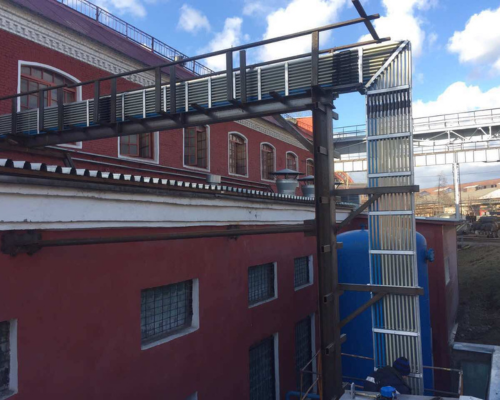
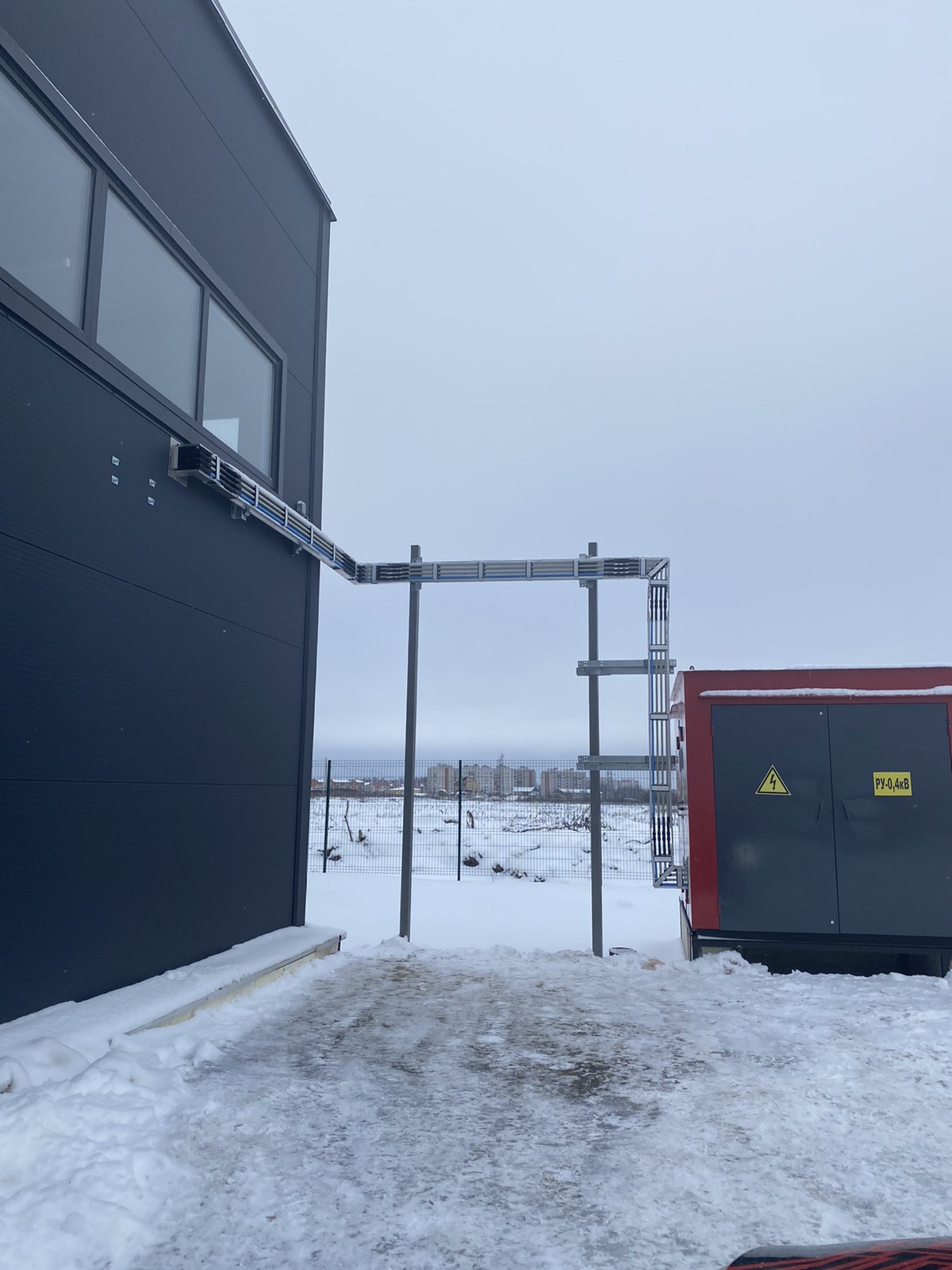
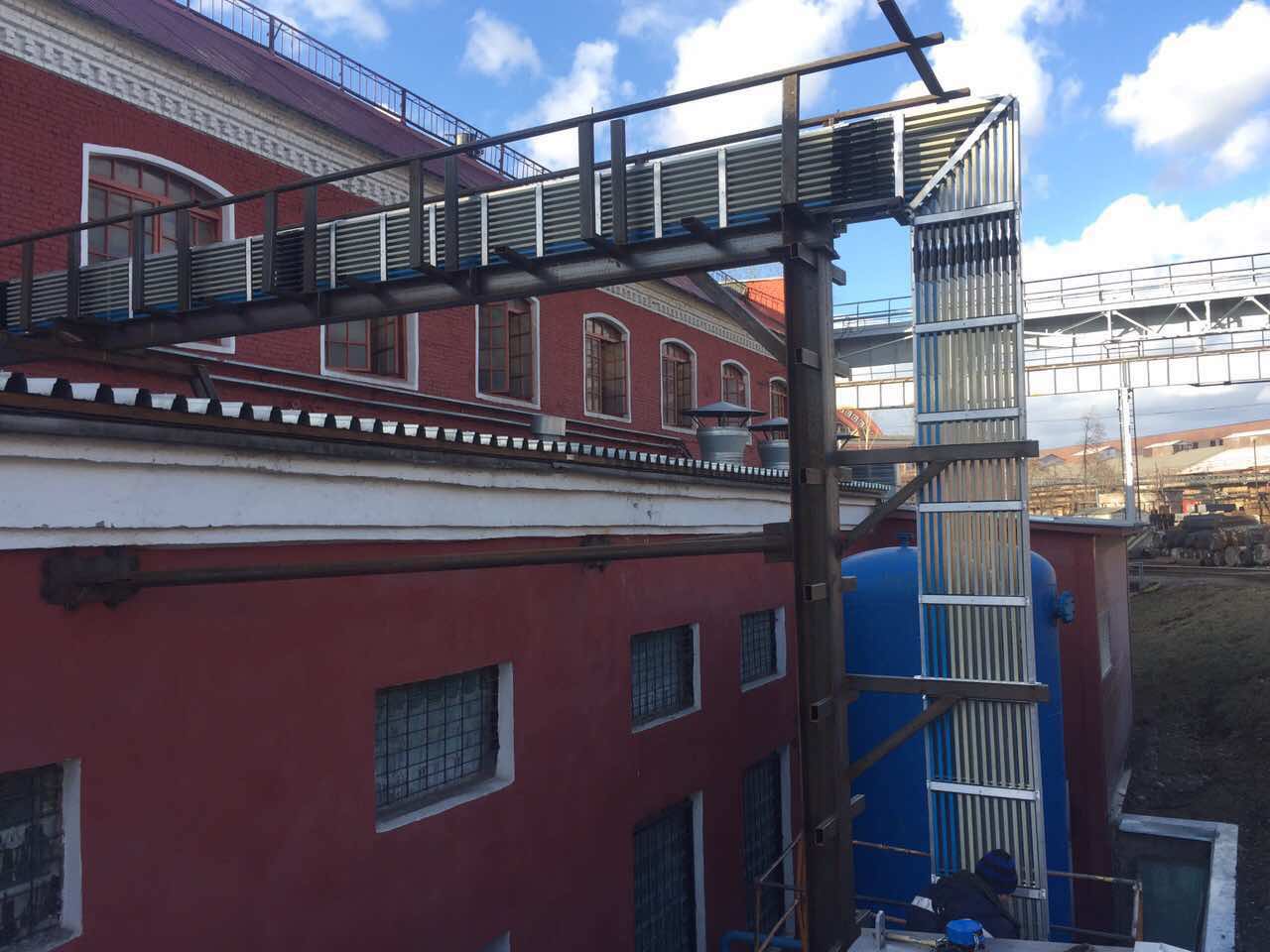
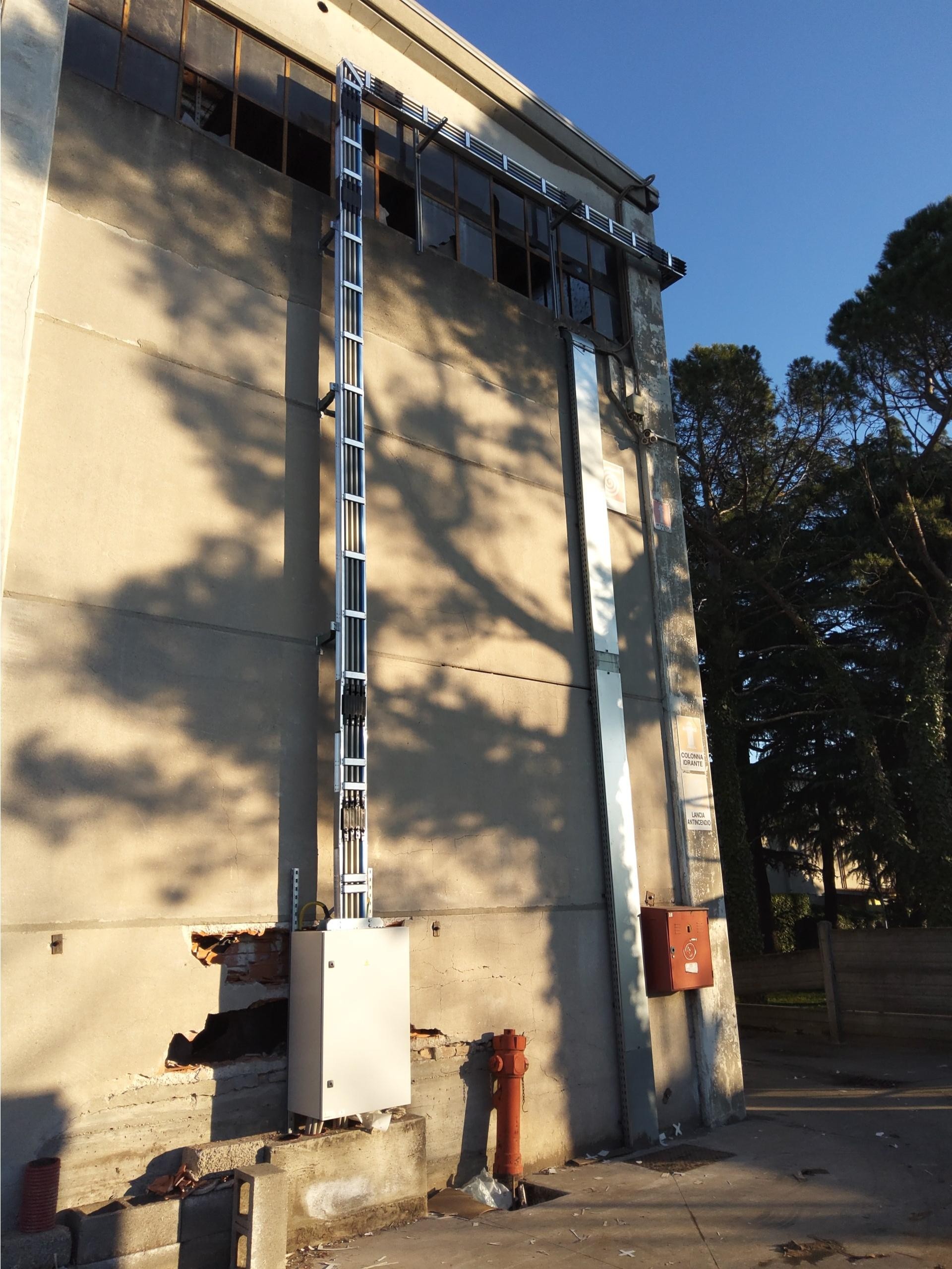
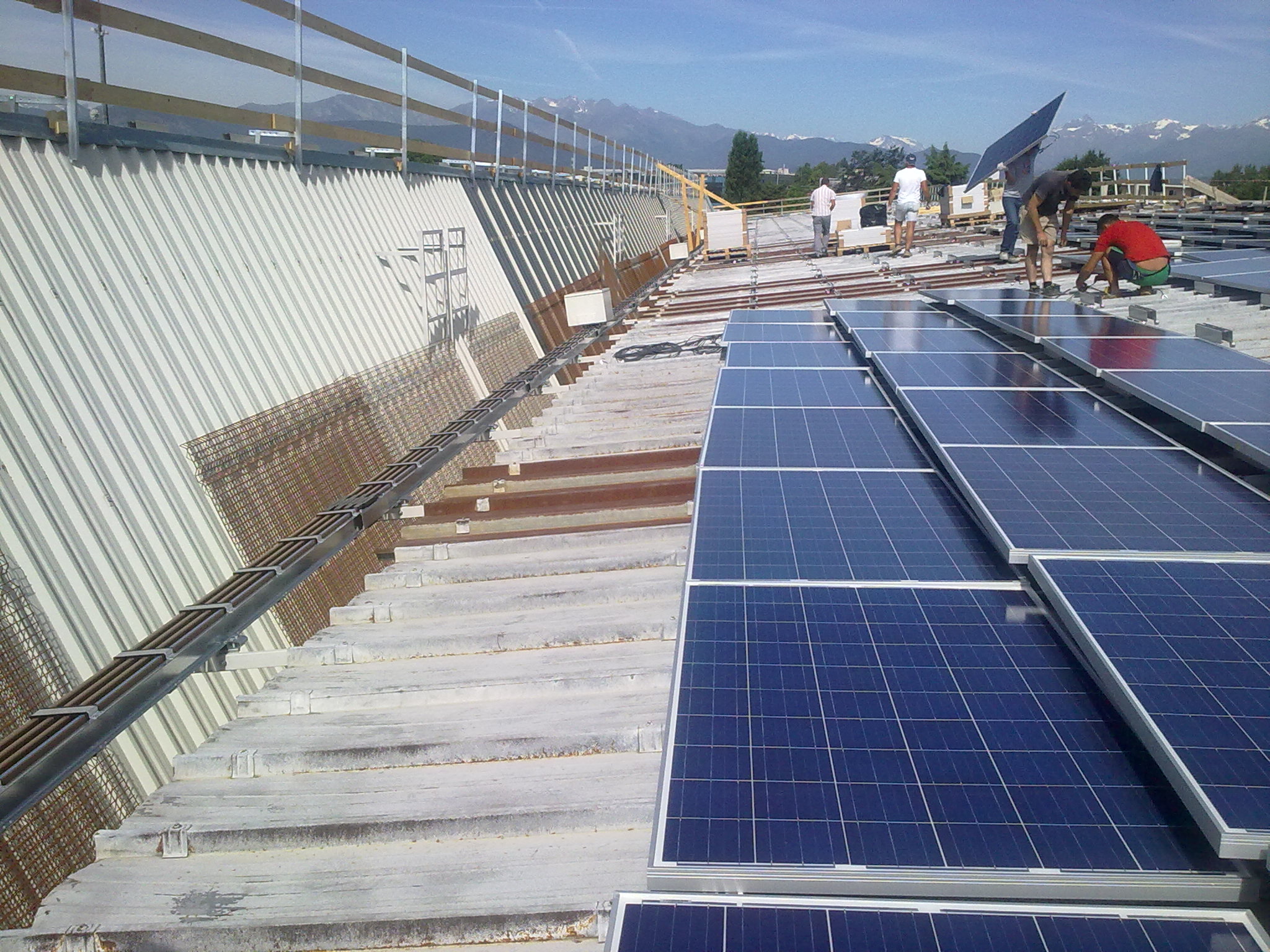
Outdoor installations: real-world examples

Here are some examples showing the effectiveness of IP66 and IP68 joints on Isolsbarra busbar trunking:

The concrete advantages of high protection

Long-term benefits

  • Safety and reliability in critical environments
  • Less need for preventative maintenance
  • No additional cost for external coverings
  • Maximum operational continuity even in extreme conditions
  • Compliance with fire regulations
  • Durability even in high-wear environments

Certified reliability Graziadio

Relying on Graziadio for the design and installation of IP66 or IP68 busbar trunking means choosing a certified, durable, and tested solution Isolsbarra technology combines robustness and modularity, allowing for safe installations even in environments requiring the highest levels of protection.